
Event times look an hour off
Usually the Home Timezone is set to fixed GMT rather than United Kingdom time, which ignores the summer clock change.
Every countdown is anchored to your Home Timezone, and one setting explains almost every "everything is an hour out" report we receive.
The usual cause: GMT is not United Kingdom time
GMT is a fixed time zone. It stays at GMT+0 every day of the year. The United Kingdom does not: it observes British Summer Time (GMT+1) from late March to late October.
So if your Home Timezone is set to plain GMT, the app is being told to ignore the summer clock change, and from spring to autumn every event shows exactly an hour off. The same trap exists anywhere in the world: pick a place, not a fixed offset.
The fix
- Open Settings (the gear) and scroll to Home Timezone.
- Tap it and search for your country or nearest city.
- Choose the named zone, for example United Kingdom Time, rather than GMT.
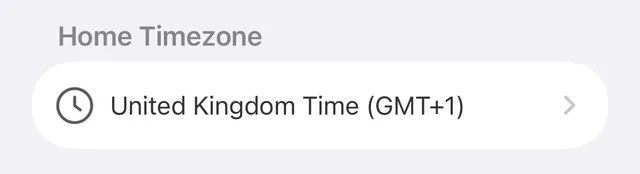
Named zones follow the clock changes automatically, in both directions, every year.
Seeing a "Time zone change detected" banner?
That banner appears when your device's time zone differs from your Home Timezone, usually while travelling. The app keeps showing events in your home time and tells you so. Once you are back home, or once your Home Timezone matches where you live, it goes away.
Out by a day rather than an hour?
That is usually the calendar-day count rather than the time zone: see Days count looks wrong.
Did this not solve it? Contact us and include what you tried. In the app, Settings then Contact Support attaches the details that help us find your account.