How to make your own countdown calendar
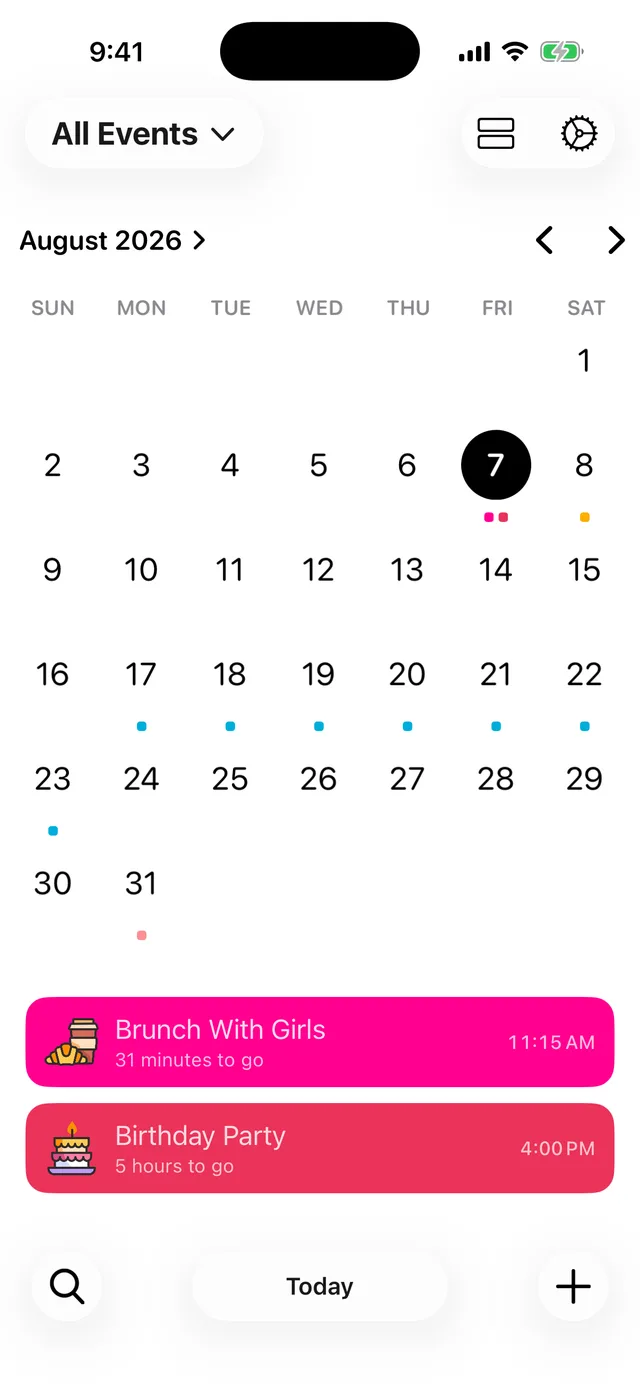
Add each date you care about to a countdown app and you have a calendar of your own events with the days remaining under every one. In Event Countdown that takes about a minute: add your events, then switch to Calendar View for a month grid with every countdown marked.
Three steps
- Add your events. Tap + for each date: birthdays, holidays, deadlines, reunions. Each gets its own colour and icon, so the calendar ends up unmistakably yours.
- Group them if you like. Calendars collect related events, so school dates and trip dates can live apart and be filtered in one tap.
- Switch to Calendar View. Tap the calendar icon at the top of the list for a month grid with a coloured dot under every event day and the countdown list beneath.
Put it where you will see it
A countdown calendar earns its keep on the screens you already look at: add widgets for your Home Screen and Lock Screen, and let the Live Activity count through each event's final hours automatically.
Counting down together
A countdown calendar for a family, a team or a wedding party works best shared. Share a countdown and everyone's app stays in step with the same dates.
Free on iPhone, iPad and Android. Counting down since 2015.