
Find your way around
The events list, the calendar toggle, search, and past events.
The main screen is your events list: every countdown, soonest first, each in its own colour.
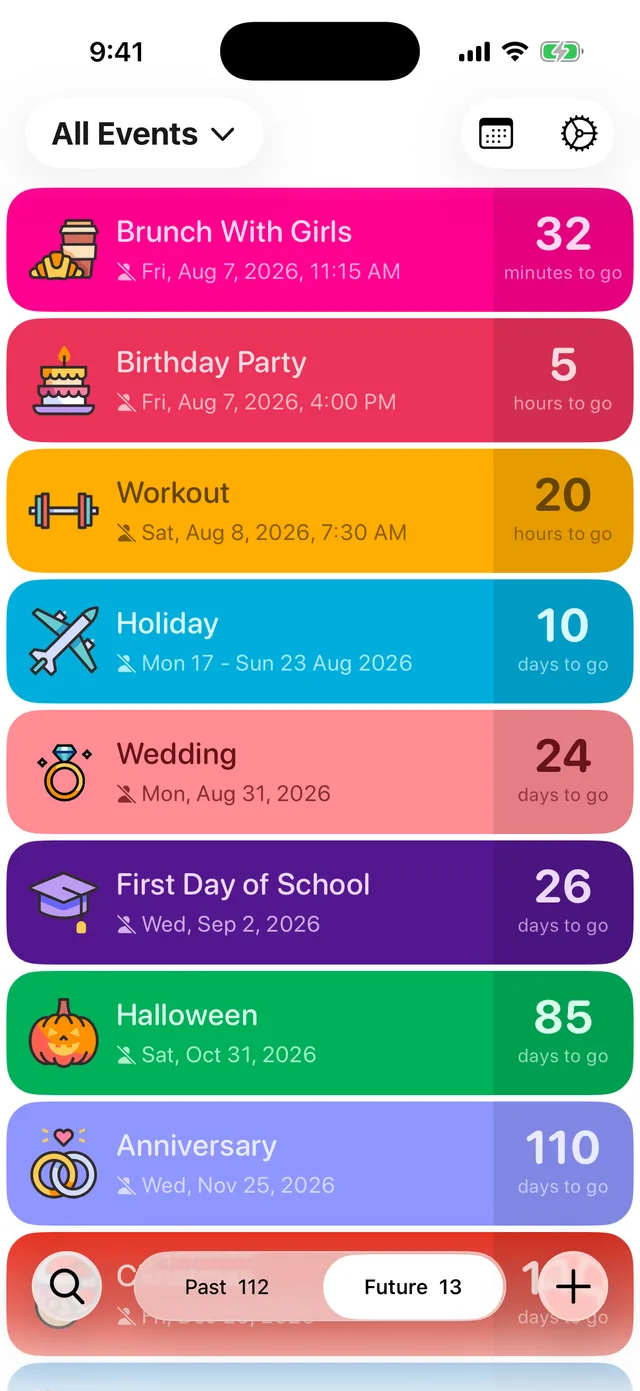
The controls
- All Events (top left): choose which calendars show in the list. More on this below.
- Calendar icon (top right): switch to Calendar View, a month grid of your events. Tap the list icon to come back. See See your events on a calendar.
- Settings (the gear): your account, alerts, appearance and more.
- Search (bottom left): find any event by name.
- Past and Future (bottom middle): flip to Past to revisit events that have happened. Nothing is deleted when an event passes; it just moves.
- + (bottom right): add a new event.
Filter by calendar
Tap All Events (top left) to open the Filter Events screen.
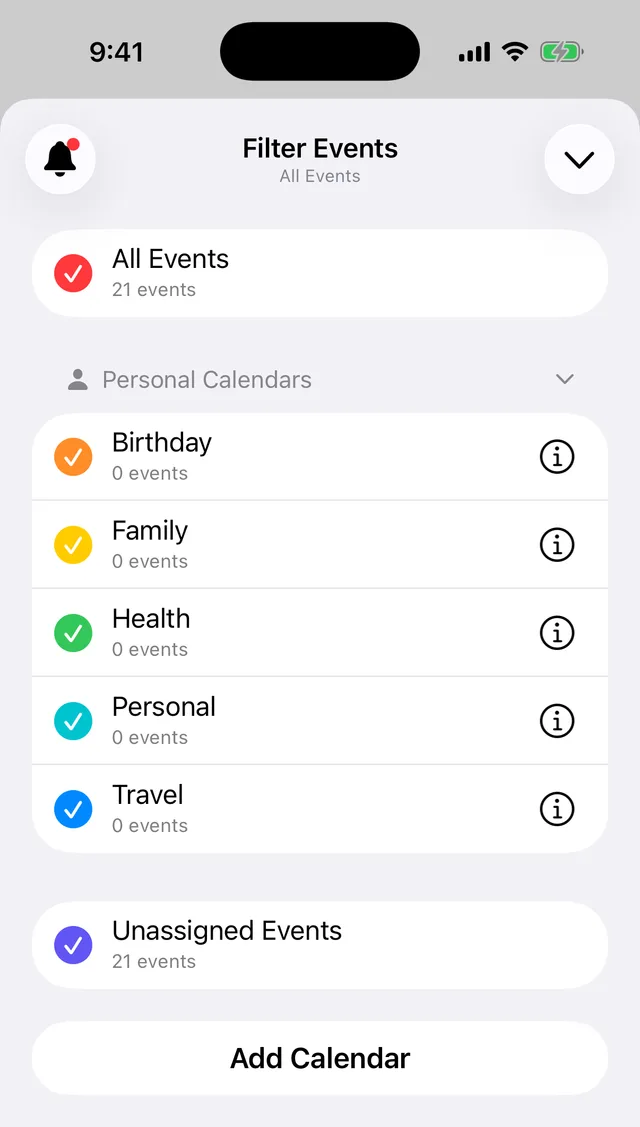
Tick the calendars you want to see and the list shows only their events. You can select as many as you like: just birthdays, birthdays and travel, whatever suits the moment. The All Events row at the top is a quick toggle: tap it to select every calendar, tap it again to clear them all.
Anything not assigned to a calendar sits under Unassigned Events, so nothing drops out of sight, and Add Calendar creates a new calendar to organise with. Calendars are a Premium feature.
Your selection sticks until you change it, so if some events seem to be missing from the list, check this screen first.
Swipe an event for quick actions
Swipe left on any event in the list for shortcuts:
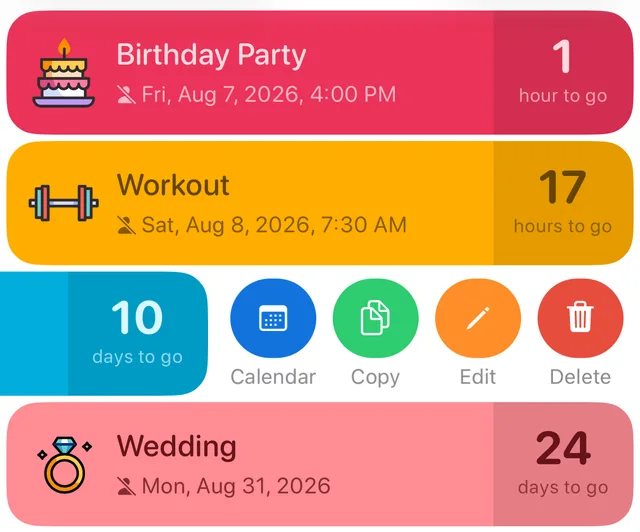
- Calendar moves the event into one of your calendars, the quickest way to organise as you go. See Create calendars to organise your events.
- Copy duplicates the event, handy for a series of similar dates. Copying is part of Premium.
- Edit opens the event to change anything.
- Delete removes it, with a 30 day safety net: see Restore a deleted event.
Tap an event
Tapping any event opens its full screen countdown with days, hours, minutes and seconds ticking live. From there you can share it, edit it, or turn it into a countdown video.
Did this not solve it? Contact us and include what you tried. In the app, Settings then Contact Support attaches the details that help us find your account.